
When it comes to gaming or watching high-quality videos, two terms often create confusion—frame rate and refresh rate. Both affect how smooth and responsive visuals look, but they are not the same.
Understanding the difference helps when choosing a monitor, graphics card, or even adjusting game settings for better performance.
What Is Frame Rate?
Frame rate refers to how many images (frames) your computer or console produces every second. It is measured in frames per second (FPS).
- 30 FPS → Standard for many console games.
- 60 FPS → Smooth for most PC and console players.
- 120 FPS and higher → Preferred by competitive gamers for faster reaction times.
The higher the FPS, the smoother the motion feels—provided your monitor can keep up.
What Is Refresh Rate?
Refresh rate is how many times your monitor refreshes the image on the screen every second. It is measured in Hertz (Hz).
- 60Hz → Refreshes the screen 60 times per second.
- 120Hz → Twice as smooth compared to 60Hz.
- 144Hz or 240Hz → Designed for competitive gaming and professional use.
A higher refresh rate means the screen can display more frames if your computer can generate them.
The Key Difference Between Frame Rate And Refresh Rate
While they sound similar, frame rate and refresh rate handle different parts of the visual process:
- Frame Rate (FPS) → Controlled by your computer or console (graphics card, CPU).
- Refresh Rate (Hz) → Controlled by your monitor.
If your PC runs a game at 120 FPS but your monitor is only 60Hz, you will only see 60 FPS. The extra frames are produced but never displayed.
Why Both Matter For Gaming
A good balance of FPS and refresh rate makes the biggest difference in competitive gaming.
- High FPS reduces input lag, making controls more responsive.
- High refresh rates make fast movements look smooth, without stutter or motion blur.
For example:
- A 240Hz monitor with 240 FPS gameplay feels extremely fluid.
- A 240Hz monitor but only 60 FPS gameplay wastes the monitor’s potential.
- A 60Hz monitor with 240 FPS gameplay shows no benefit beyond 60 frames.
Common Misconceptions
Many players believe higher numbers automatically mean better performance. That’s not always true.
- Myth 1: 60Hz cannot display more than 60 FPS
- True. But higher FPS can still reduce input lag, even if not displayed fully.
- Myth 2: Human eyes cannot see beyond 30 FPS
- False. Most people notice smoother motion up to 144Hz and even 240Hz.
- Myth 3: Higher refresh rate = better image quality
- Not exactly. Refresh rate improves smoothness, but resolution and color accuracy also matter.
Frame Rate And Refresh Rate In Video Playback
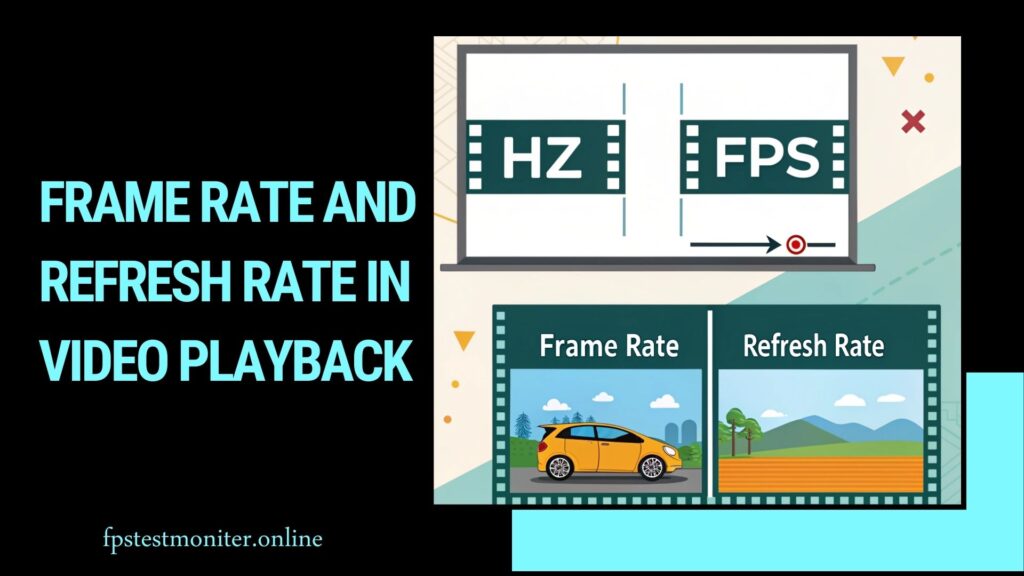
For movies and TV shows, frame rate works differently than in games.
- Most films are shot at 24 FPS, giving them a cinematic feel.
- Streaming services may use 30 FPS or 60 FPS for smoother video.
- A monitor with a refresh rate matching the video frame rate reduces screen tearing.
So while 240Hz may be great for gaming, it doesn’t improve Netflix or movies shot in 24 FPS.
Choosing The Right Monitor
When buying a monitor, think about your usage:
- Casual use (web, movies, office) → 60Hz is enough.
- General gaming → 120Hz or 144Hz gives a big improvement.
- Esports or competitive gaming → 240Hz or 360Hz paired with high FPS is ideal.
Also consider response time (how fast pixels change) and G-Sync or FreeSync support to prevent tearing.
How To Match FPS And Refresh Rate
The best experience comes when FPS and refresh rate work together.
- 60 FPS + 60Hz monitor → Smooth and balanced.
- 120 FPS + 120Hz monitor → Excellent for gaming.
- 240 FPS + 240Hz monitor → Maximum smoothness.
If FPS is lower than your monitor’s refresh rate, you may notice stutter. If FPS is higher than the refresh rate, some frames are wasted but responsiveness still improves.
Impact On Competitive Gaming
In esports, even small performance gains matter. Players competing in games like Fortnite, CS:GO, and Valorant often use:
- 240Hz or 360Hz monitors
- High-end graphics cards pushing 200+ FPS
This combination reduces blur and provides near-instant reaction feedback. That’s why professional players spend heavily on high-refresh displays.
Balancing Performance And Cost
Not everyone needs a 240Hz monitor. Balance your budget and needs:
- A mid-range GPU with a 144Hz monitor is perfect for most gamers.
- High refresh rates only shine if your graphics card can push enough FPS.
- Content creators or movie lovers may prioritize 4K resolution over refresh rate.
Real-World Example
Imagine playing Fortnite:
- At 60Hz/60 FPS, gameplay feels smooth but not extremely responsive.
- At 144Hz/144 FPS, motion feels sharp and controls respond faster.
- At 240Hz/200 FPS, even quick flick shots and building in Fortnite feel natural.
How Much Does the CPU Affect FPS?
Explore how CPU performance influences gaming frame rates.
Is FreeSync Worth It?
A guide to whether FreeSync is a worthwhile feature for your setup.
How to Make Fortnite Faster on PC
Tips and tweaks to boost your FPS and smoothness in Fortnite.
Best Refresh Rate for Gaming
Find what refresh rate is best for your play style and monitor.
How Many Hz Can the Human Eye See?
Learn about the perceptual limits of vision vs monitor refresh rates.
📌 Final Thoughts on Frame Rate vs Refresh Rate
Frame rate and refresh rate are two sides of the same coin. One comes from your graphics hardware, and the other from your display.
To get the best results, balance both—don’t overspend on a 240Hz monitor if your PC can only produce 60 FPS.
For smooth gaming, aim for a refresh rate that matches or exceeds your usual FPS.
Whether you’re a casual player or a competitive gamer, understanding these two terms helps you make smarter choices about monitors and settings.
FAQs
Q1. Does higher refresh rate reduce input lag?
Yes, a higher refresh rate makes actions appear faster on screen, reducing delay.
Q2. Can a 60Hz monitor show 120 FPS?
No, it will only display up to 60 FPS, though extra frames can reduce latency.
Q3. Do movies benefit from 144Hz monitors?
Not really. Most films are 24 FPS, so a high refresh rate isn’t necessary for watching.
Q4. What’s more important: FPS or refresh rate?
Both matter. FPS depends on your hardware, and refresh rate depends on your monitor. Balance is key.
Q5. Is 240Hz worth it?
For casual users, no. For competitive gamers who can reach high FPS, yes.